 Feurstagram
Instagram without Reels
downloads on GitHub
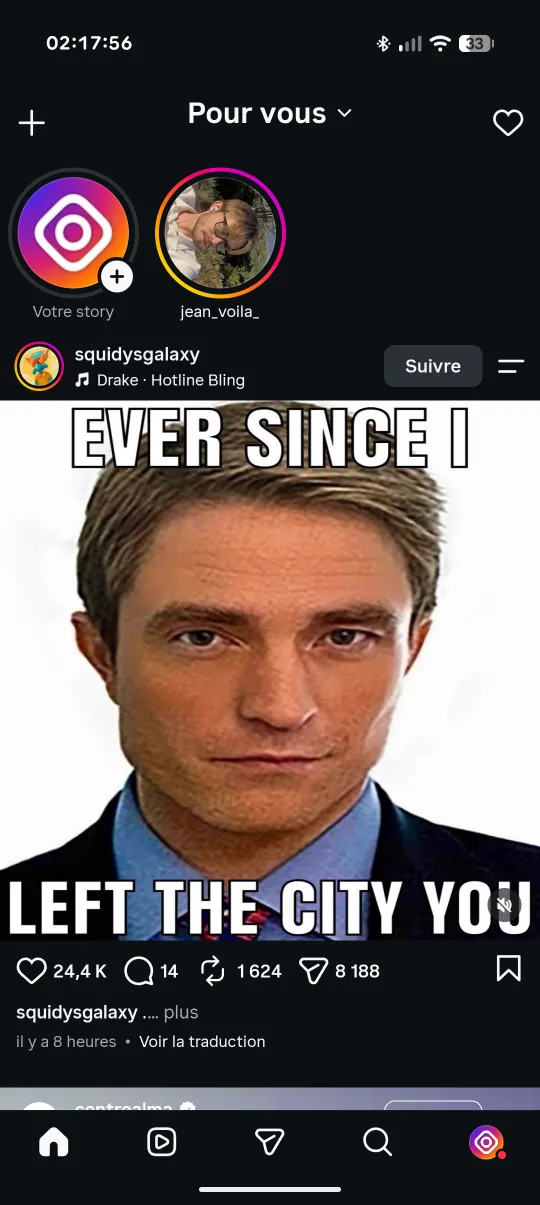
Can you turn off Reels in Instagram's settings?
No. As of September 2026, the official Instagram app has no option that disables Reels. The Reels tab stays in the bottom bar, Reels are mixed into the home feed, and Explore is mostly short videos. Instagram only offers ways to influence what you see: marking a Reel as “Not interested”, snoozing suggested posts, or switching the home feed to Following.
Those settings reduce Reels a little. They do not remove the tab, and they reset or wear off. That is why people who want Instagram without Reels end up with one of the five approaches below.
5 ways to use Instagram without Reels, compared
| Method | Removes the Reels tab | Reels in the feed | Keeps DMs & stories | Platforms | Price | Open source |
|---|---|---|---|---|---|---|
| “Not interested” on Reels | No | Fewer, not zero | Yes | Android, iOS | Free | Built into Instagram |
| Following feed | No | Only from accounts you follow | Yes | Android, iOS | Free | Built into Instagram |
| Instagram in a browser | No | Still present | Partly | Any browser | Free | Built into Instagram |
| Blocker apps (ScrollGuard, WallHabit) | Blocked or walled on top of the app | Depends on the app | Yes | Android, iOS | Free, some paid options | No |
| Feurstagram | Yes, removed | Home feed blocked | Yes | Android | Free | Yes (GPL-3.0) |
1. Mark Reels as “Not interested”
Open the menu on a Reel and choose “Not interested”. Instagram shows fewer similar videos over time. It is free and takes no setup, but it only nudges the recommendation algorithm: the Reels tab and the feed stay exactly where they are, and one idle scroll puts you back in.
2. Switch the home feed to Following
Tap the title at the top of the home feed and pick Following. You get posts from accounts you follow, in chronological order, without suggested posts. Instagram reverts to the recommended feed when the app restarts, so you have to switch again each time, and the Reels tab is untouched.
3. Use Instagram in a browser
instagram.com in a mobile browser pushes Reels less aggressively than the app. Reels still exist there, notifications are limited, and messaging and stories are clumsier than in the app. It works as an occasional check-in, less as a daily replacement.
4. Install a blocker app
Blocker apps run next to Instagram and hide or wall off parts of it. According to their websites (checked September 2026):
- ScrollGuard blocks Reels and Explore while keeping DMs, stories and posts. On Android it uses an accessibility service on top of the native app; on iPhone it works through the web versions of the apps. The core features are free, with optional premium features.
- WallHabit puts Reels, Explore and other short-form surfaces behind a wall that is unlocked with a challenge. It is available on iOS, Android and as a Chrome extension, and is free.
They work across several apps and on iPhone, which Feurstagram does not. The trade-off is that they sit on top of Instagram: the Reels content is still downloaded and the app is unchanged underneath, and neither publishes its source code.
5. Use Feurstagram (Android)
Feurstagram is the official Instagram Android app with open-source patches applied. Instead of covering the Reels tab, it removes it from the bottom bar and blocks the Reels feed at the network level, so the videos are never loaded. The same goes for the home feed, Explore, suggested accounts and ads. Each block is a switch you control, and everything useful stays: direct messages, stories, search, profiles, notifications and Reels that friends send you.
How to get Instagram without Reels on Android in 3 steps
- Download the APK. Get the latest Feurstagram APK from GitHub, the official source. Pick the Clone APK instead if you want to keep the official Instagram app installed next to it.
- Install it. Open the file. Android asks you to allow installing apps from your browser or file manager the first time, because the app does not come from the Play Store.
- Log in and choose what to block. Sign in to Instagram as usual. Reels, the home feed, Explore and ads are blocked by default. Long-press the Home tab to open Feurstagram's settings and change any of them.
The full walkthrough, with the difference between the two APKs, is in the installation guide. Updates arrive inside the app: Feurstagram checks for a new release when it starts and installs it for you.
What you keep and what disappears
| Still works | Removed or blocked (switchable) |
|---|---|
| Direct messages, including Reels and posts friends send you | Reels tab and Reels feed |
| Stories from people you follow (can be blocked too) | Endless home feed (or a Following-only feed, if you prefer) |
| Search and profiles | Explore |
| Notifications | Suggested accounts |
| Posting to your profile and stories | Ads in the feed, stories and profile |
| Links to posts, Reels and profiles | Instants and Notes in the inbox, analytics and telemetry |
A permanent lock is available for anyone who knows they will flip Reels back on at midnight: once enabled, blocks can be made stricter but not turned off without reinstalling.
Is it safe? Can my account be banned?
Feurstagram does not collect, store, proxy or transmit your Instagram password or session. You log in through Instagram's own login screen, and the app talks directly to Instagram. Every patch is public in the GitHub repository, and you can build the APK yourself instead of downloading it.
Feurstagram is an unofficial project, not affiliated with Instagram or Meta. It modifies the Instagram app, which may go against Instagram's terms of service, so use it at your own risk. Only download it from the official GitHub releases: copies on other APK sites are not published by the project. More details are in the privacy notes and the FAQ.
Instagram without Reels on iPhone
Feurstagram is Android-only, and iOS does not allow modified versions of Instagram to be installed the same way. On an iPhone, the realistic options are the first four methods above: mark Reels as “Not interested”, switch to the Following feed, use Instagram in Safari, or add a blocker such as ScrollGuard or WallHabit. You can also set a daily limit for Instagram in Settings → Screen Time → App Limits, which doesn't remove Reels but caps the time they can take.
Why Reels are so hard to quit
Reels are built to keep you watching: the next video starts on its own, the feed never ends, and recommendations learn what holds your attention. In July 2026, the European Commission's preliminary findings under the Digital Services Act said that Instagram's and Facebook's design, including infinite scroll, autoplay, push notifications and highly personalised recommendations, can push people into compulsive use, and that Meta had not properly assessed those risks. The case is not closed. Read what the EU found.
Willpower against a system tuned by thousands of engineers is a bad match. Removing the surface is simpler than resisting it, which is the whole idea behind Feurstagram.
Frequently asked questions
Can you turn off Reels in Instagram's settings?
No. Instagram has no setting that disables Reels. You can reduce suggested Reels or switch to the Following feed, but the Reels tab stays. On Android, Feurstagram removes the Reels tab, the Reels feed, the home feed and ads while keeping DMs and stories.
Does Feurstagram work on iPhone?
No. Feurstagram is an Android app only.
Will I still get Instagram notifications?
Yes. Notifications, direct messages, stories, search and profiles keep working.
Can I still watch Reels that friends send me in DMs?
Yes. A Reel shared in a conversation still opens. What is removed is the Reels tab and the endless Reels feed.
Is Feurstagram free?
Yes. Feurstagram is free, has no ads and no subscription, and its source code is published under the GPL-3.0 license.
How do updates work?
Feurstagram checks GitHub for a new release when it starts, shows what changed, and downloads and installs the update from inside the app.
Can I keep the official Instagram app installed too?
Yes. Install the Clone APK, which uses a different package name and sits alongside the official app.
Can I turn Reels back on later?
Yes. Every block is a switch in Feurstagram's settings, opened by long-pressing the Home tab. An optional permanent lock prevents turning blocks back off.
Can my Instagram account be banned?
Feurstagram is unofficial and modifies the Instagram Android app, which may go against Instagram's terms of service. It does not collect, store or transmit your password. Use it at your own risk.